A Google Business Profile should accurately represent the firm or eligible lawyer the prospective client can contact. The first decision is which profiles belong in the account. Optimization comes after that structure is correct.
For a law firm, inventory actual offices, public-facing lawyers, existing profiles, and ownership. Record the public URL of each listing before adding another. That makes duplication, outdated details, and access problems easier to identify.
This guide supports the profile work within law firm local SEO. It uses Google's public rules for eligibility decisions and an operating checklist for managing the resulting assets.
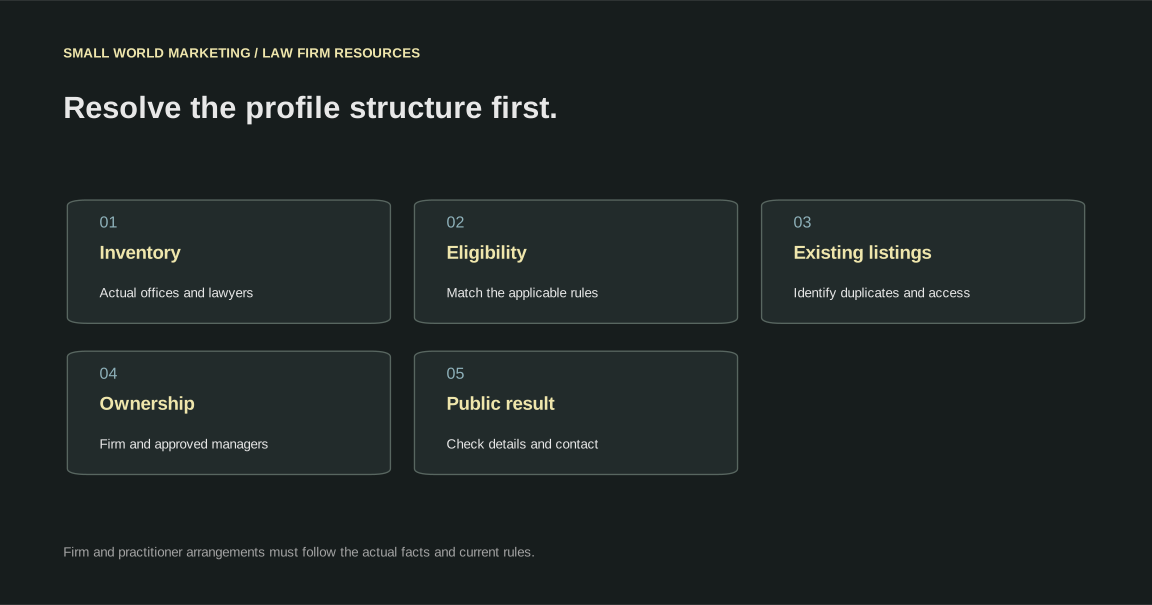
Check eligibility before creating profiles
Google permits profiles for qualifying physical locations and service-area businesses. A rented mailing address where the firm does not operate is not an eligible virtual office. A coworking location needs the conditions in Google's guidance, including signage, staffing, and receiving customers.
A practitioner profile requires a public-facing role and direct contact at the verified location during stated hours. Support staff do not qualify. A practitioner should not create profiles for every specialization.
For multiple public-facing practitioners, Google's guidance distinguishes the organization from practitioner profiles. Where a sole public-facing practitioner represents a branded organization, Google recommends a shared profile using its specified naming format. Check the actual situation and current rules rather than assuming two profiles are always needed.
Primary source: Google's business representation and practitioner guidelines.
Build a profile inventory before making changes
| Inventory field | Record | Operational use |
|---|---|---|
| Public listing URL | The exact live profile | Distinguishes similar names and duplicates |
| Represented entity | Firm, office, or practitioner | Establishes what the profile describes |
| Location | Actual address and arrangements | Supports eligibility review |
| Ownership | Current owner and approved managers | Identifies access recovery work |
| Contact route | Phone and destination page | Connects discovery to the right intake team |
| Status | Active, pending, inaccessible, or disputed | Determines the next action |
Keep the inventory current when offices open, lawyers move, or staff changes. Do not rely on a list of login credentials as the only account record. Store access through the firm's approved security process.
Resolve ownership before depending on the profile
The firm should retain appropriate ownership and recovery access. Agencies and staff can have the roles needed for their work. Use individual accounts and record who can approve changes.
If access is missing, identify the existing listing and follow the platform's ownership process. Creating another listing to avoid an access problem can add a duplication problem.
Document departure handling for staff and providers. A lawyer's practitioner profile and the firm's office profile may need different access arrangements. Clarify the entity being represented before removing or transferring access.
Make the public details useful and accurate
Use the real-world name and actual business information. Select categories that describe the entity. Put services and location details in their appropriate fields rather than adding promotional keywords to the name.
The broader website should support those facts. A relevant profile destination can explain the services, office arrangements, and next contact step. A practitioner destination should accurately describe that lawyer and the intended contact route.
| Public detail | Review task | Website connection |
|---|---|---|
| Name | Match the represented real-world entity | Branding and page identity |
| Phone | Confirm control and routing | Relevant contact path |
| Website | Test the selected destination | Firm, office, or lawyer information |
| Hours or appointments | Reflect actual arrangements | Consistent availability explanation |
| Services | Describe what is genuinely provided | Related practice pages |
| Images | Use appropriate, current material | Genuine office and professional information |
Check the visible result after making changes. Record a rejected edit or pending verification as unresolved rather than reporting the intended change as complete.
Connect profiles to a coherent website
A firm with one office and several services needs clear practice pages. A firm with several genuine offices needs location information that helps clients select the right destination.
Link the related services and lawyers in a way a reader can follow. Do not create a separate website page merely because another keyword can be placed in its title. A useful destination explains a distinct entity or task.
Our law firm website design service and legal content service cover those decisions. The profile is one entry point into that structure.
Review requests need a consistent policy
Google's review policy prohibits fake engagement, incentives, and selective solicitation of positive reviews. Google's prohibited content policy.
The firm should approve who requests feedback, when it is requested, and how sensitive responses are handled. Avoid publishing matter details or confirming a client relationship in a reply. The intake and professional review teams should agree on the escalation path.
Track the work performed, such as staff instructions and approved responses, rather than promising a fixed number of positive ratings. A client can choose what feedback to leave.
Test calls, links and appointments
Use a phone to follow the profile's public destination. Check the number, relevant service page, form, and booking route. Test delivery with fictional details and remove tests from reporting.
If several offices share an intake team, explain that arrangement accurately. If a tracking number is used, confirm control, routing, historical records, and what happens when the provider changes.
Include profile destination links when planning a website migration. A working listing can still send visitors to a removed page after a redesign.
Keep a recurring change log
| Event | What to check | Evidence to retain |
|---|---|---|
| Office move | Location, website, phone, directories | Approved facts and public results |
| Lawyer joins or leaves | Practitioner representation and contact | Eligibility and access decision |
| Website launch | Destination URLs and intake | Successful public tests |
| New service | Genuine scope and related pages | Firm approval and published information |
| Profile issue | Status, notice, affected listing | Observed issue and next action |
Use the local SEO audit worksheet to record owners and unresolved issues. A simple dated record is easier to maintain than reconstructing changes from email threads.
Common law firm profile questions
Should a solo lawyer have separate firm and lawyer profiles?
Assess the actual business structure and Google's current solo-practitioner guidance. The correct arrangement should follow the represented entity and eligibility, rather than a desire to occupy more listings.
Does a service-area setting create a new office?
No. Website service coverage, profile service areas, and a physical operating location describe different facts. Keep each accurate.
Can an agency manage the profile?
An agency can perform agreed work with appropriate access. The firm should know its ownership, recovery route, responsibilities, and process for ending the arrangement.
What if the profile is suspended or an edit is rejected?
Review the notice and represented business facts. Follow the platform's resolution process and document the issue. Repeated speculative edits can make the history harder to understand.
Ask Small World Marketing to review your firm's local profile structure.